Why Cnx Diag ?
In any company or organization, regardless of size and sector of activity, the quality of service provided to users of the information system is a major and permanent concern.
In general, traditional supervision and monitoring solutions provide indicators on the availability and performance of technical resources. However, these solutions do not allow the end user to test and evaluate his own connection to the information system.
The Cnx Diag solution allows the end user to have, at any time, a personalized and easy to interpret diagnosis, on the state of his own connection to each of his usual applications.
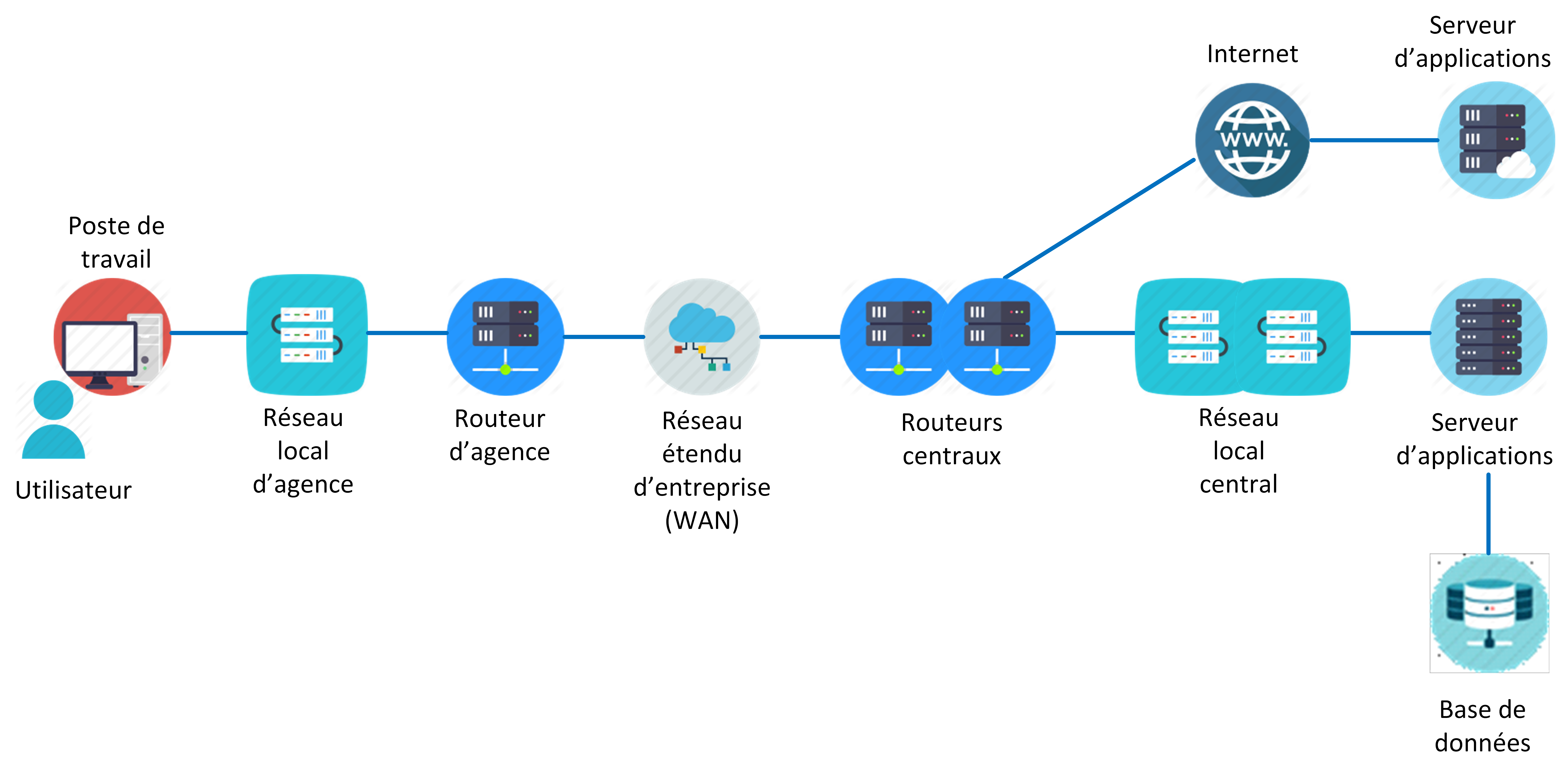
Moreover, the complexity of the resources of any information system, as well as the diversity of applications and users, increase the difficulty of providing a rapid and personalized diagnosis in the event of a drop in the quality of service expected by the user.
The Cnx Diag solution aims to reduce, or even eliminate, this difficulty, by adapting to the specific context of each company and organization, regardless of its size, its sector of activity and the technical specificities of its system information.
The end user has the possibility of carrying out diagnostic tests, from his workstation, in complete autonomy, and of communicating the results to the technical support service of the company.
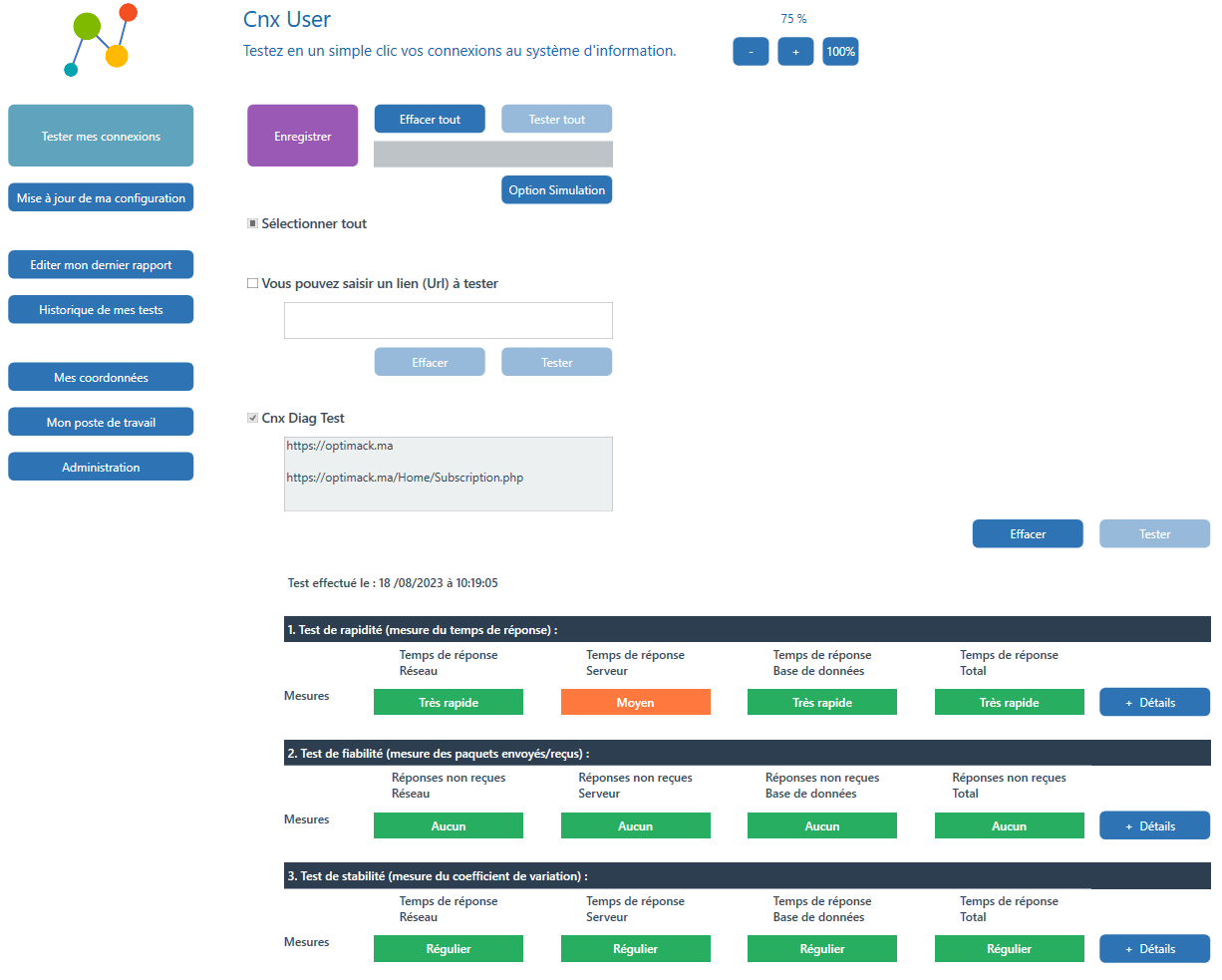
The Cnx Diag solution
Test your connections to the information system with a single click
The Cnx Diag solution is managed from the Cnx Panel web platform, which allows you to:
-
Create a user account.
-
Download an evaluation version, two versions are available:
- Basic Edition, a simplified version, ;
- Professionnal Edition, a configurable version.
-
Customize the solution through configuration
- application services accessed by users,
- user profiles to which the application services are assigned.
-
Select a subscription , allowing
- set subscription parameters,
- deploy a configurable and complete Professional Edition.
The Cnx Diag solution consists of several software components, a brief description of which is given below.
| Component | Description |
|---|---|
| Cnx Panel | Web platform allowing the customization of the solution and the download of the module intended for the end user. |
| Cnx User | Windows test and diagnostic application. It allows the user to select and perform the tests on his usual applications, generate a diagnostic report and send it to the technical support department . |
| Cnx Sender | Optional test and diagnostic module, installed as a Windows service, it allows measurements to be taken periodically and the results to be sent to a web collection platform. |
| Cnx Collector | Web platform allowing the collection of the results of measurements carried out from user workstations, with a view to analyzing them and presenting them in the form of a dashboard. |
Customization
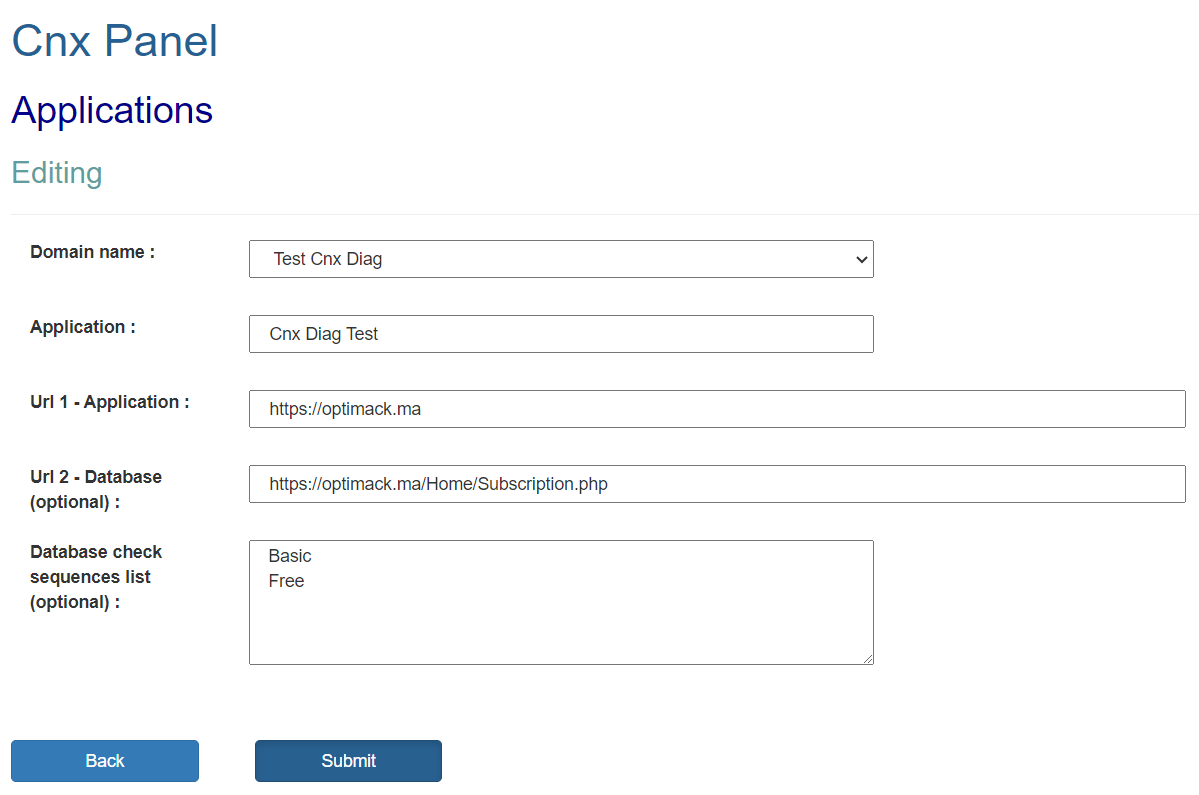
The customization of the Cnx Diag solution according to the needs of the company is done via the Cnx Panel platform, which allows the administrator to configure application services, and to assign them to user profiles.
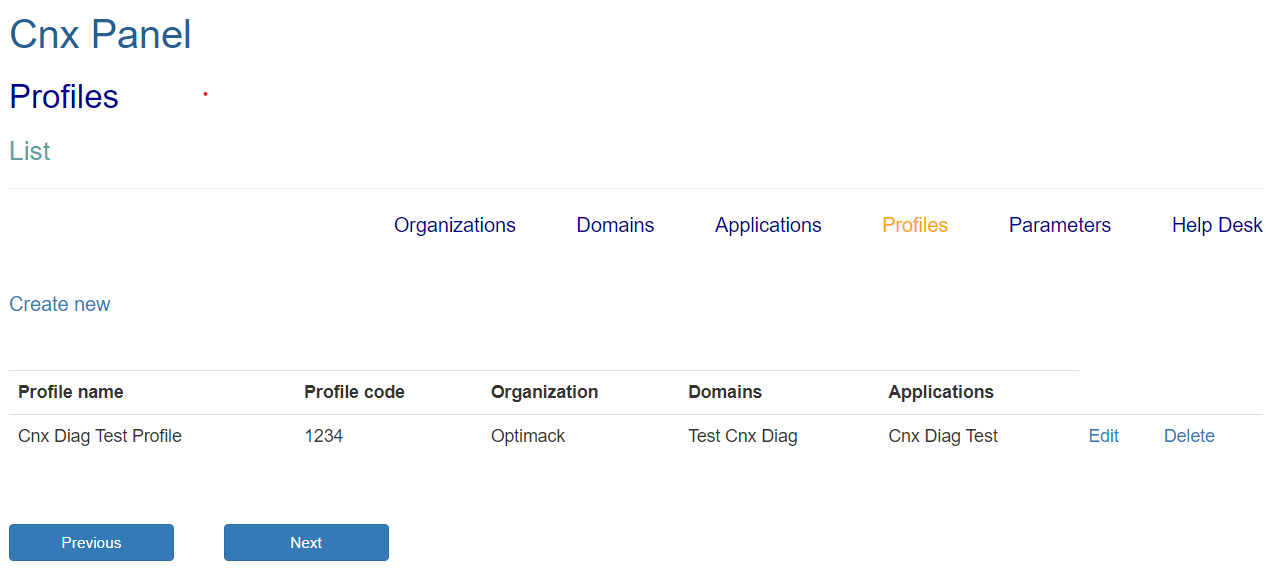
The configuration user interface allows creating, reading, modifying and deleting operations on the objects presented below according to their logical sequencing:
- The organization to which the users are attached.
- The business domains to which application services are attached.
- The application services, each one being defined from an acces URL.
- Users profiles, specifying the application services associated with each profile.
Le déploiement
The deployment of the Cnx Diag solution on user workstations is carried out from the Cnx Panel platform, it takes place according to the following steps:
- Each user has two codes communicated to them: a 4-digit code indicating their organization, and a 6-digit code indicating their user profile.
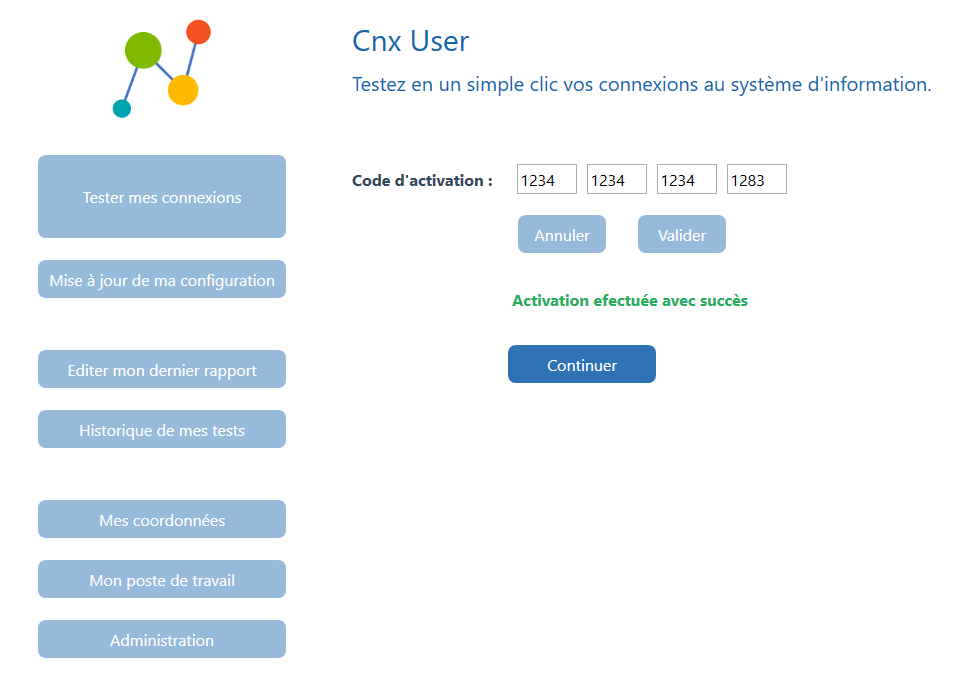
- The user specifies the two previous codes on the Cnx Panel platform. The installation of the Cnx User application is launched, a personal and unique activation code is displayed for the user.
- During the first launch of the Cnx User application, the user is invited to specify his activation code having been communicated to him during the download.
- By specifying his activation code, the user triggers the downloading of the Cnx User configuration corresponding to his user profile.
Tests
The Cnx User application downloaded by the user is preconfigured in such a way as to present him with the application services associated with his user profile. It is a Windows application designed to be easy to use, with a user-friendly and intuitive interface.
While being preconfigured according to the user's profile, Cnx User
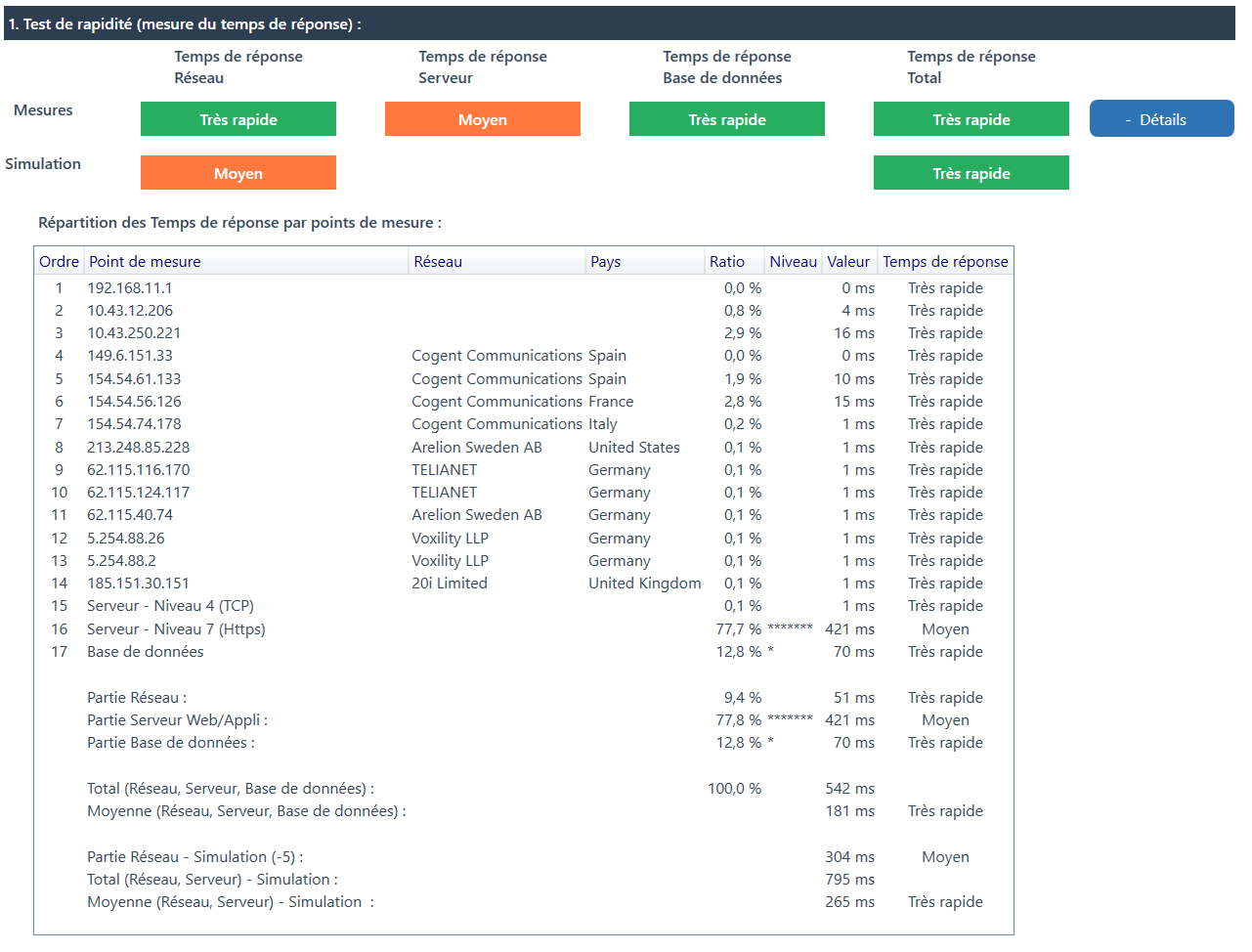
The following table presents the features offered by Cnx User.
| Feature | Description |
|---|---|
| Test my connections | Perform a self-diagnosis for one or more applications from the user station. |
| Configuration Activation/Update | Activation or update of the configuration corresponding to the user's profile. |
| Edit my last report | Edit the last test report saved, and send it to technical support if necessary (automated sending by email at the user's initiative). |
| History of my tests | Manage test reports already saved (edit, send, delete, save as...). |
| My contact details | Specify the user's contact details (name, function, telephone, email, etc.) communicated to technical support in each report. |
| Network configuration of my workstation | View the user's workstation network settings. |
| Administration | View the configuration parameters relating to the application services attached to the user profile. |
Diagnosis
The end user has the option of testing one or more of these application services, which are generally in secure web mode (Https protocol).
The test carried out most often makes it possible to ensure proper operation, and in the event of delays or service interruptions, to quickly locate the source of a malfunction.
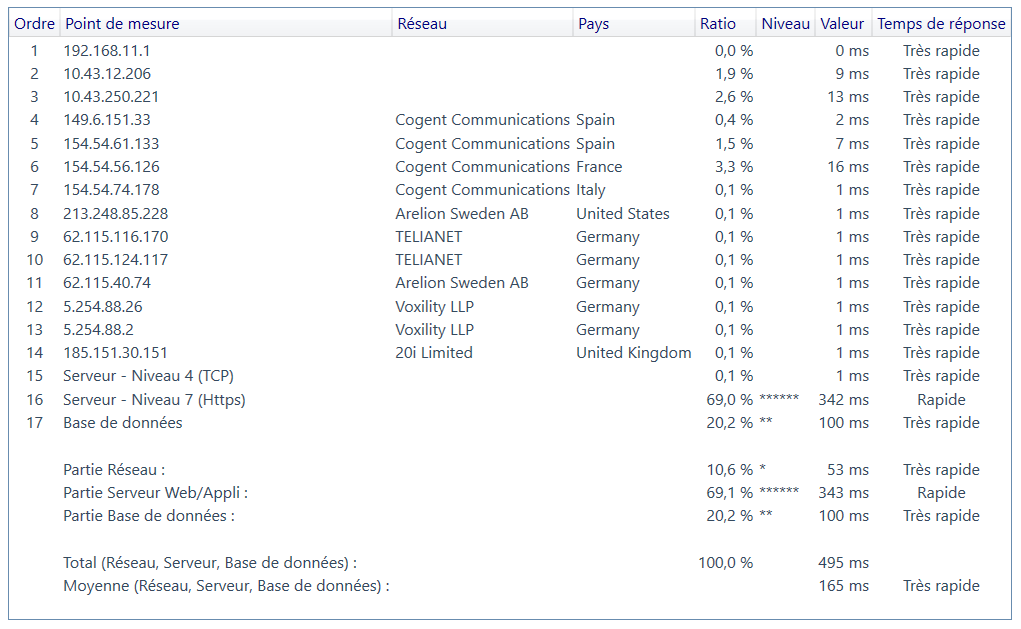
A detailed diagnostic report is then generated; it can be sent by email to the technical support service, which will thus have a precise and consistent diagnosis.
The diagnostic test of each application service is carried out in four fully automated steps:
- The first step detects the network path allowing access to the application service, thus constituting a chain of measurement points.
- The second step consists in carrying out measurements on each of the detected measurement points.
- The third step is that of the interpretation, it is done using algorithms developed for the analysis of the results and the aid to the diagnosis.
- The fourth step is optional, it corresponds to the generation of a complete and easy to interpret diagnostic report, with the possibility of sending it to the company's technical support center.
The progress of these test steps makes it possible to quickly locate the source of any degradation in quality of service (unavailability of a resource, slow traffic, packet loss, variations in response times, etc.).
Detectable sources of malfunction include:
- Connecting the user station to the local network.
- The local network of the user's site.
- The telecom link of the user's site.
- A segment of the telecom network.
- The local network of the central site.
- The webserver.
- Le serveur d’applications.
- The application service.
- The database.
Collection
The measurements resulting from the tests carried out can be transmitted for processing at the central level, with two distinct and complementary purposes:
- Technical support for users.
- Monitoring the quality of service.
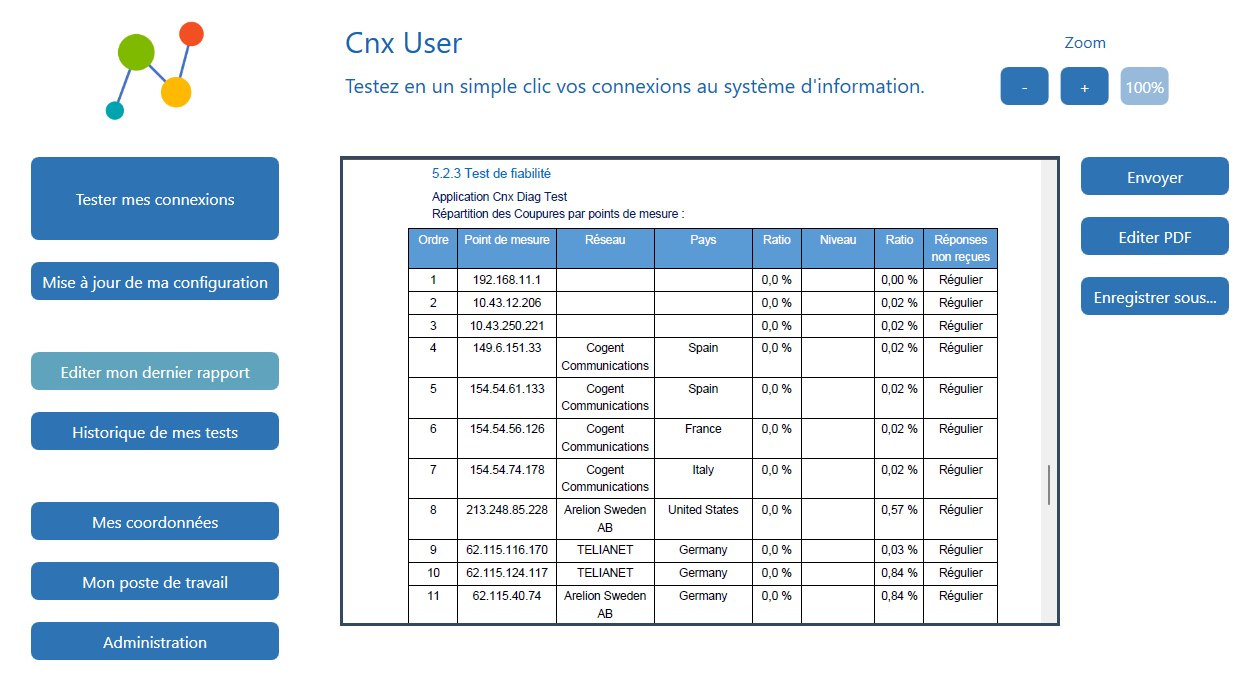
Two collection methods are offered by the Cnx Diag solution:
- Manual collection when the user is the originator of sending the measurement data using the Cnx User application.
- Automatic collection when measurement data is transmitted by the Windows Cnx Sender service. The central Cnx Collector service receives the data collected in order to provide statistics and summaries in the form of dashboards.
Copyright © 2026 Optimack